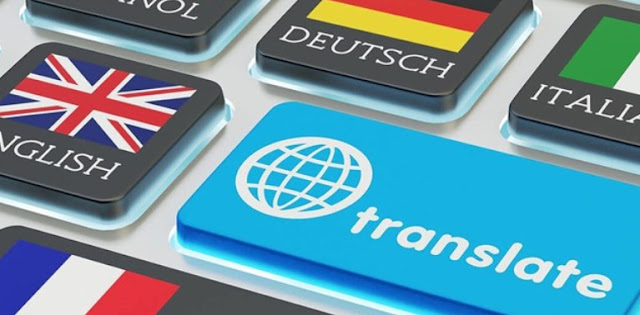
1. What Is “All Language Translate App”?
The “All Language Translate App” by Dreams Edge Technology is a multilingual translation tool aimed at helping users convert spoken, typed, or imaged text from one language to another. It supports over 130 languages, offering voice, text, and image translation features.
2. Key Features & Capabilities
- Voice translation: Speak into your device and receive instantaneous translations.
- Text & sentence translation: Translate phrases or full sentences freely.
- Image / camera OCR translation: Use the camera to capture text from images or photo documents and translate them.
- File translation: Support for file types like PDF, DOC, and TXT to translate entire documents.
- Built-in dictionary and word lookup features to help with language learning.
3. Strengths & What Works Well
- Wide language support: Covers over 130 global languages.
- All-in-one tool: Combines voice, text, image, and document translation.
- User-friendly interface: Simple and clean layout for beginners.
- Free version: Core features available without upfront cost.
- Regular updates: Ongoing improvements and bug fixes.
4. Weaknesses & Criticisms Heard From Users
- Frequent ads interrupting usage.
- Occasional translation delays or failed results after ads.
- Mixed accuracy in voice detection, especially with accents.
- Inconsistent offline functionality.
- Average rating of 2.8/5 showing varied experiences among users.
5. Who Might Benefit (and Who Might Not)
Best for:
- Travelers who need quick phrase translations on the go.
- Language learners practicing pronunciation or vocabulary.
- Occasional users needing casual translations.
Not ideal for:
- Professionals who need ad-free, fast translations.
- Users seeking consistent offline mode or API integrations.
6. Tips to Get the Most Out of the App
- Use the image OCR feature for printed materials or signs.
- Test translations before travel to check accuracy.
- Keep the app updated to get language improvements.
- Explore the settings for voice speed and accent adjustments.
7. Real-World Use Cases
Many users rely on this app for travel, work, and education. For travelers, it helps decode menus, street signs, and local conversations instantly. For students, it offers a quick way to learn vocabulary and pronunciation in multiple languages without switching between different tools.
8. Performance and Reliability
Performance varies depending on internet connectivity. While online translations are fast and accurate, offline translation may feel slower or limited. Device power also affects performance — higher RAM and newer processors deliver smoother results, especially when processing images or long documents.
9. Final Thoughts & Verdict
“All Language Translate App” provides a practical and easy way to communicate across languages, especially for casual users. Though ads and occasional performance drops can be frustrating, its wide language coverage and feature diversity make it a solid choice for everyday translation needs. For best results, use it online and with patience during ad breaks.